> For the complete documentation index, see [llms.txt](https://satxio.gitbook.io/satx/llms.txt). Markdown versions of documentation pages are available by appending `.md` to page URLs; this page is available as [Markdown](https://satxio.gitbook.io/satx/inscribe/atomicals/dmint/mint-nft-item.md).

# Mint NFT Item

**`Step 1:`**` ``Connect your wallet. Here, we'll use`` `<mark style="color:blue;">**`Unisat`**</mark>` ``as an example`

<figure><img src="/files/WFXRyiUNFt8PNKwlmWiP" alt=""><figcaption><p><mark style="color:red;"><strong><code>🧵1/6</code></strong></mark></p></figcaption></figure>

***

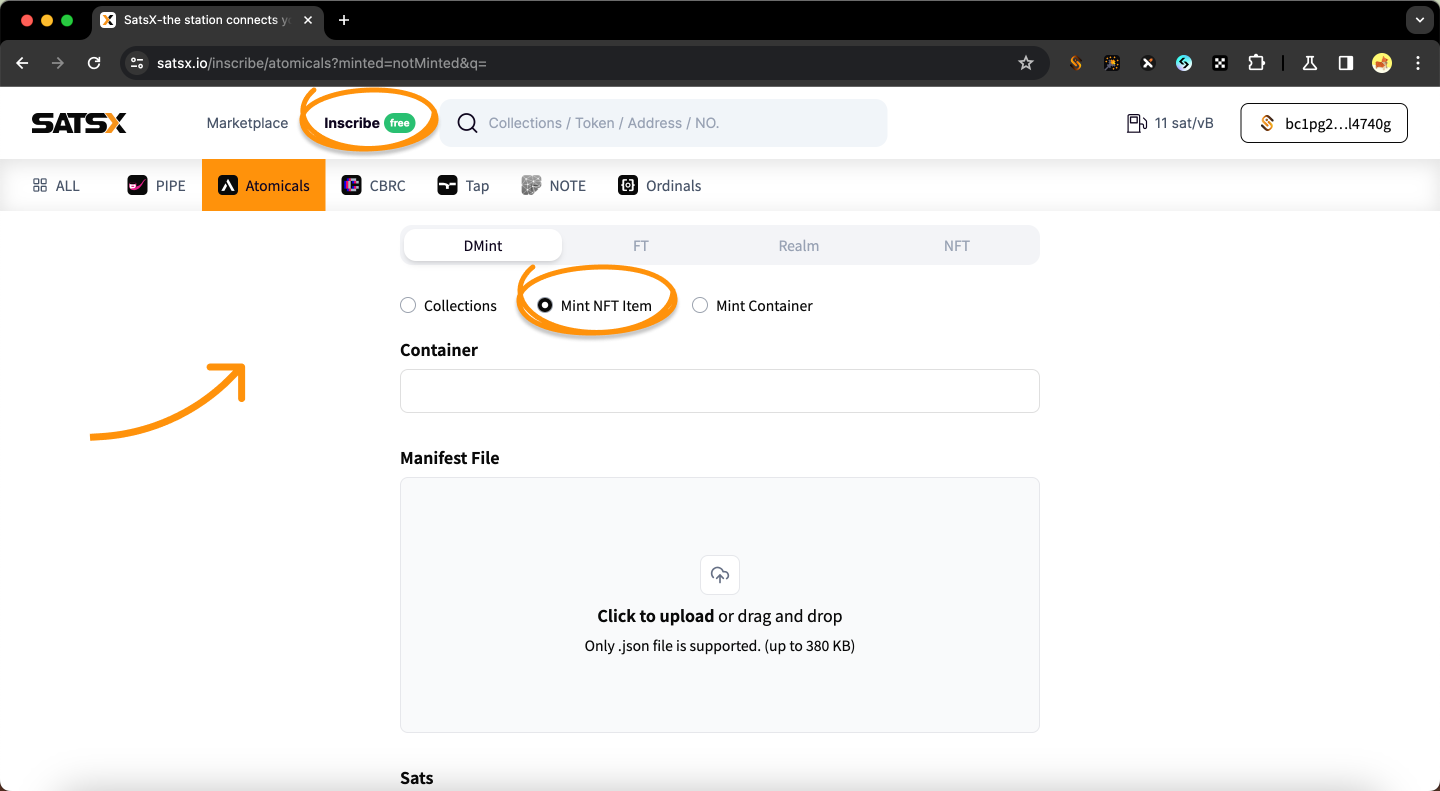
**`Step 2:`**` ``Select the`` `<mark style="color:blue;">**`Inscribe`**</mark>` ``and`` `<mark style="color:blue;">**`Atomicals`**</mark>**` ``| DMint - Mint NFT Item`**

<figure><img src="/files/7iJJnnTy2BM6dFBx7k3k" alt=""><figcaption><p><mark style="color:red;"><strong><code>🧵2/6</code></strong></mark></p></figcaption></figure>

***

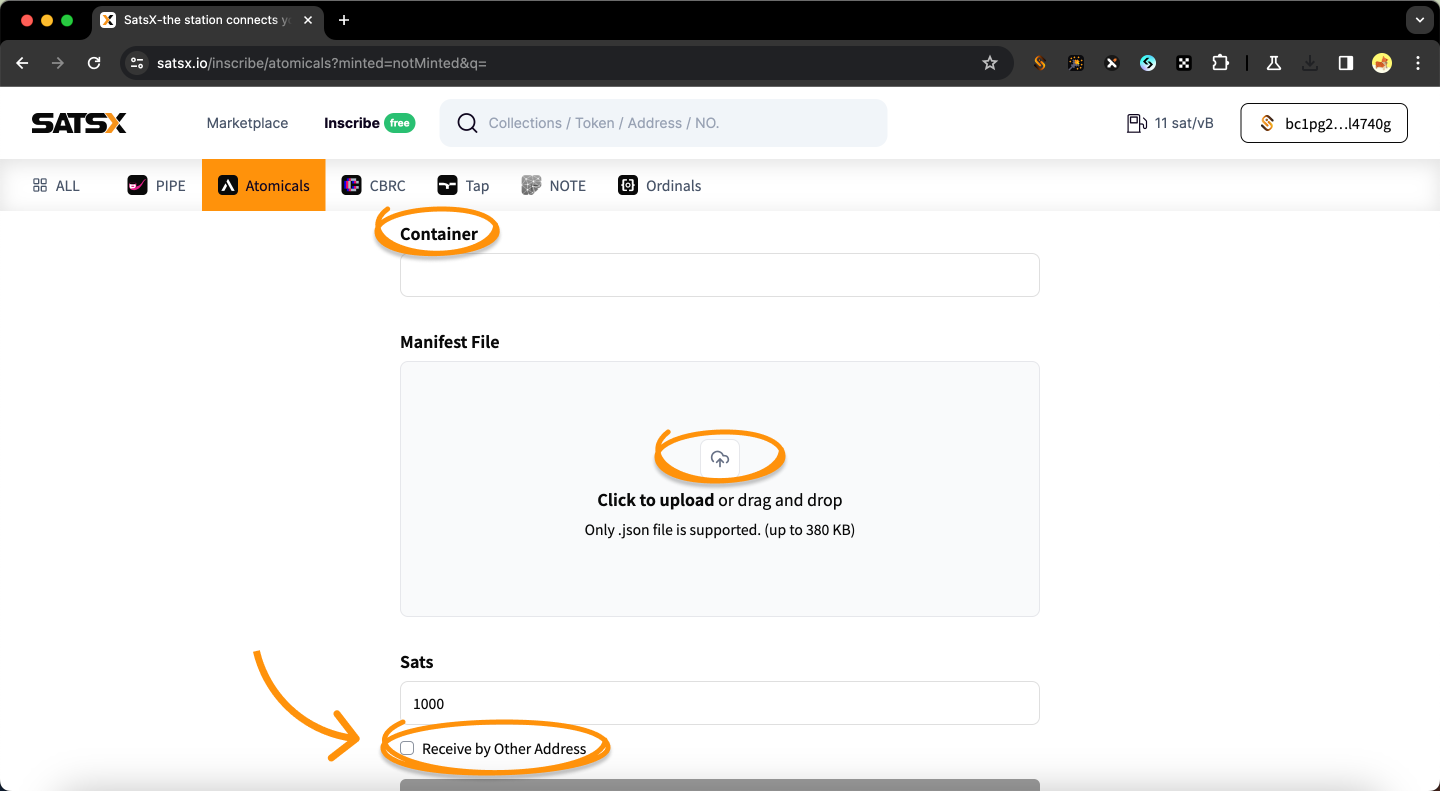
**`Step 3:`**` ``Select the`` `<mark style="color:blue;">**`Inscribe`**</mark>` ``and`` `<mark style="color:blue;">**`Atomicals`**</mark>**` ``| DMint - Mint NFT Item`**

1. `Enter`` `<mark style="color:blue;">**`Container name`**</mark>
2. `Upload`` `<mark style="color:blue;">**`JSON`**</mark>` ``file (provided by the project team)`

> `You can`` `<mark style="color:blue;">**`receive by other address`**</mark>

{% hint style="info" %}
**`Minimum Sats value is`` `**<mark style="color:red;">**`546`**</mark>
{% endhint %}

<figure><img src="/files/7tWOUZ3HH1mr98O3TYJW" alt=""><figcaption><p><mark style="color:red;"><strong><code>🧵3/6</code></strong></mark></p></figcaption></figure>

<figure><img src="/files/WaXRSlCo4Sc5kKES00JU" alt=""><figcaption><p><mark style="color:red;"><strong><code>🧵3/6</code></strong></mark></p></figcaption></figure>

***

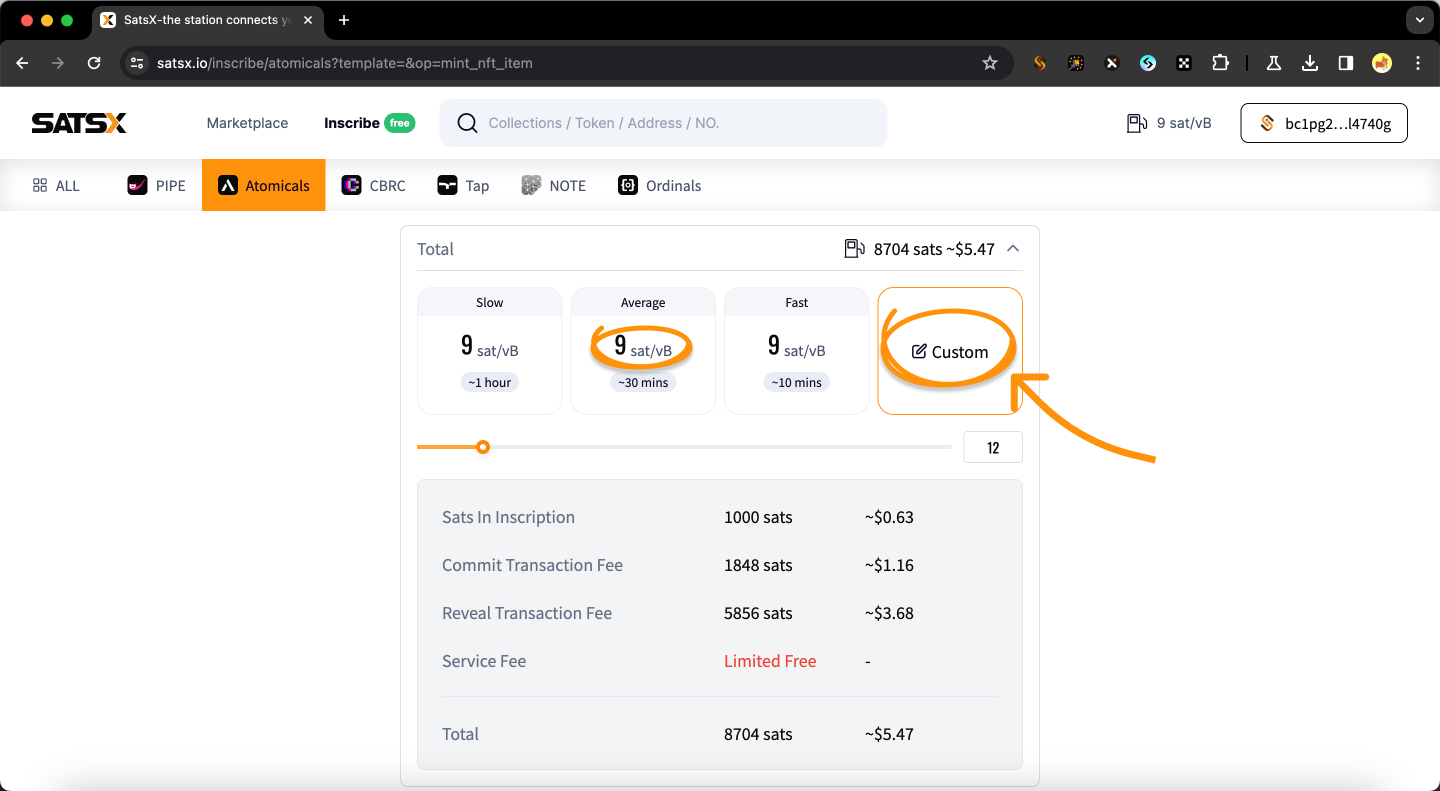
**`Step 4:`**` ``Set gas as needed ➡️`` `<mark style="color:blue;">**`Inscribe`**</mark>

<figure><img src="/files/wTB5x4jF7SMO2LHcbqtT" alt=""><figcaption><p><mark style="color:red;"><strong><code>🧵4/6</code></strong></mark></p></figcaption></figure>

***

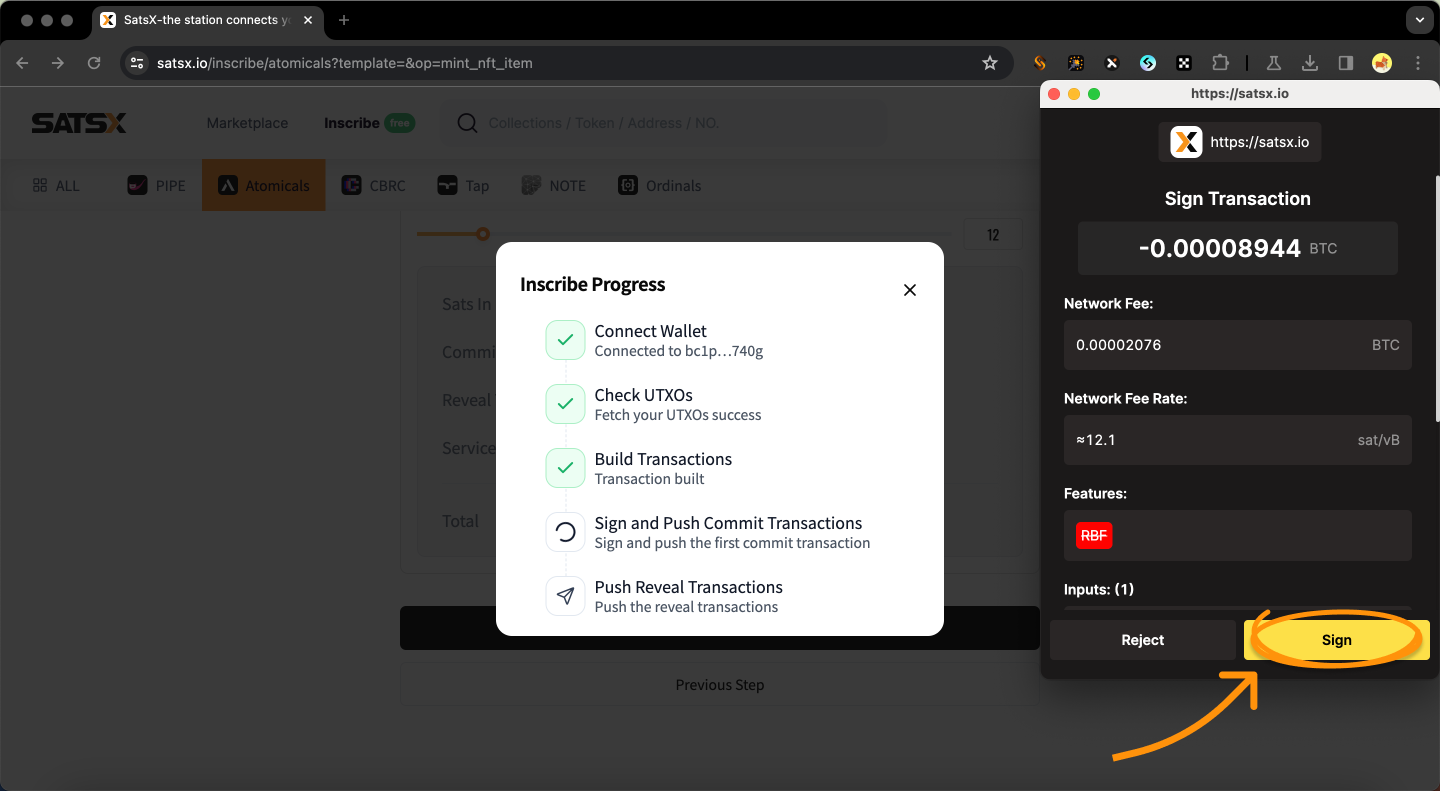
**`Step 5:`**` ``Wait for`` `<mark style="color:blue;">**`Build Transactions`**</mark>` ``&`` `<mark style="color:blue;">**`Sign`**</mark>

<figure><img src="/files/MXo6nhfoW1nRRBkU3jus" alt=""><figcaption><p><mark style="color:red;"><strong><code>🧵5/6</code></strong></mark></p></figcaption></figure>

***

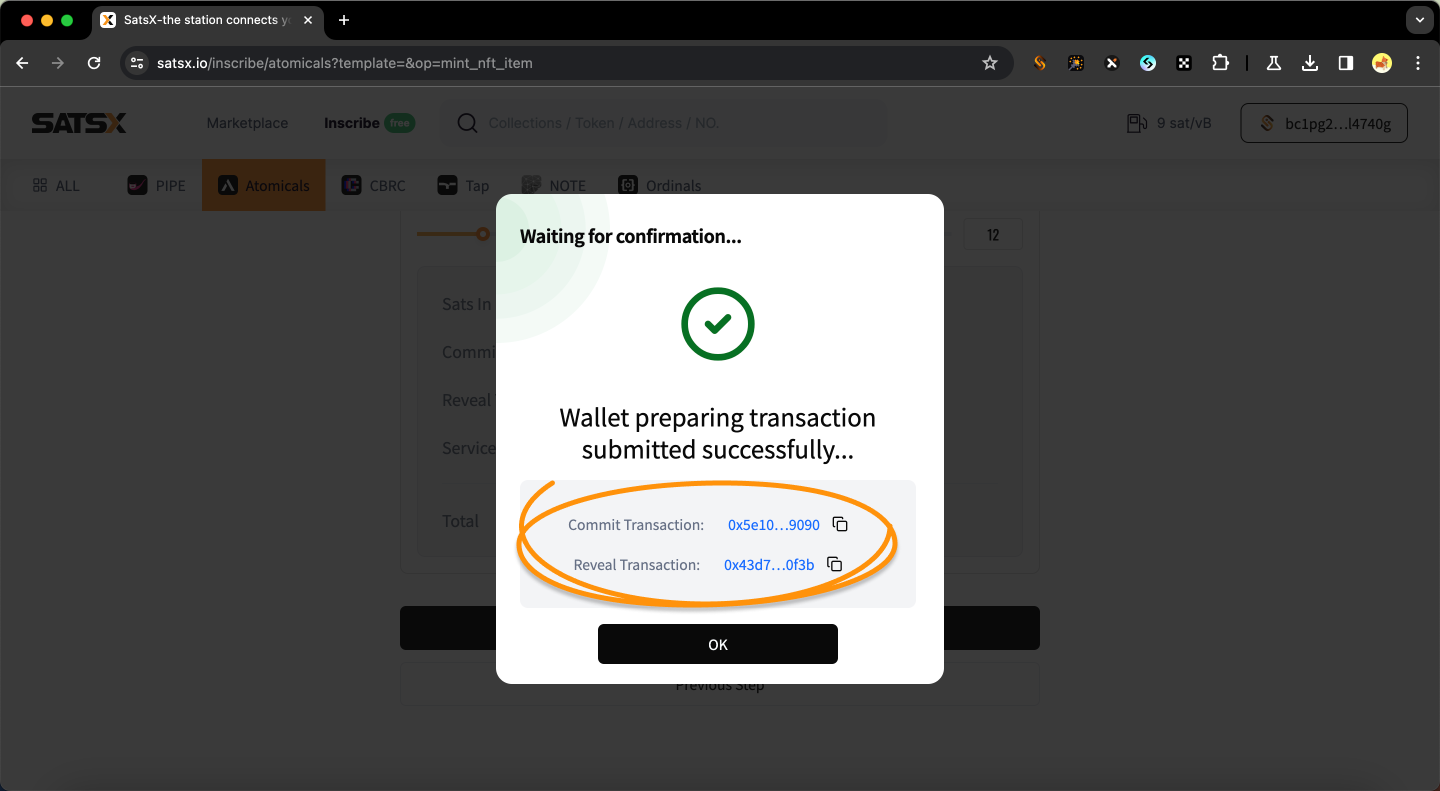
**`Step 6:`**` ``Check the transaction status via` [<mark style="color:blue;">**`mempool.space`**</mark>](https://mempool.space/)

<figure><img src="/files/oVOt3TULbvnHeII80GfK" alt=""><figcaption><p><mark style="color:red;"><strong><code>🧵6/6</code></strong></mark></p></figcaption></figure>